
For DJs
Booked Solid, Never Double-Booked
OvationCRM keeps every event, client, and deposit in one place, so a booked-solid Saturday runs on a plan instead of a group text and a memory. Built for mobile DJs working weddings, corporate parties, and school dances, and the venue relationships that keep the calendar full.
Sound familiar?
Phone tag with the venue
The planner needs the load-in time, the venue wants your insurance certificate, and you still need the ceremony start. Three voicemails deep and the one answer that matters is nowhere.
The same Saturday, twice
A wedding inquiry and a school dance, both circling the same Saturday in May. One lives in a text, the other in an email thread, and you are one quick 'yes' from an awkward call back.
Requests lost in the thread
The couple's first-dance song is in one email, the do-not-play list in another, the reception timeline in a text from the planner. You read rooms for a living, not inboxes.
How OvationCRM Helps
Built for the way you book
The whole night on one page
Venue address, load-in time, set order, and the do-not-play list live on the booking, not across four apps. Open one page the morning of the gig and everything the night needs is already there.
More about Bookings & Events →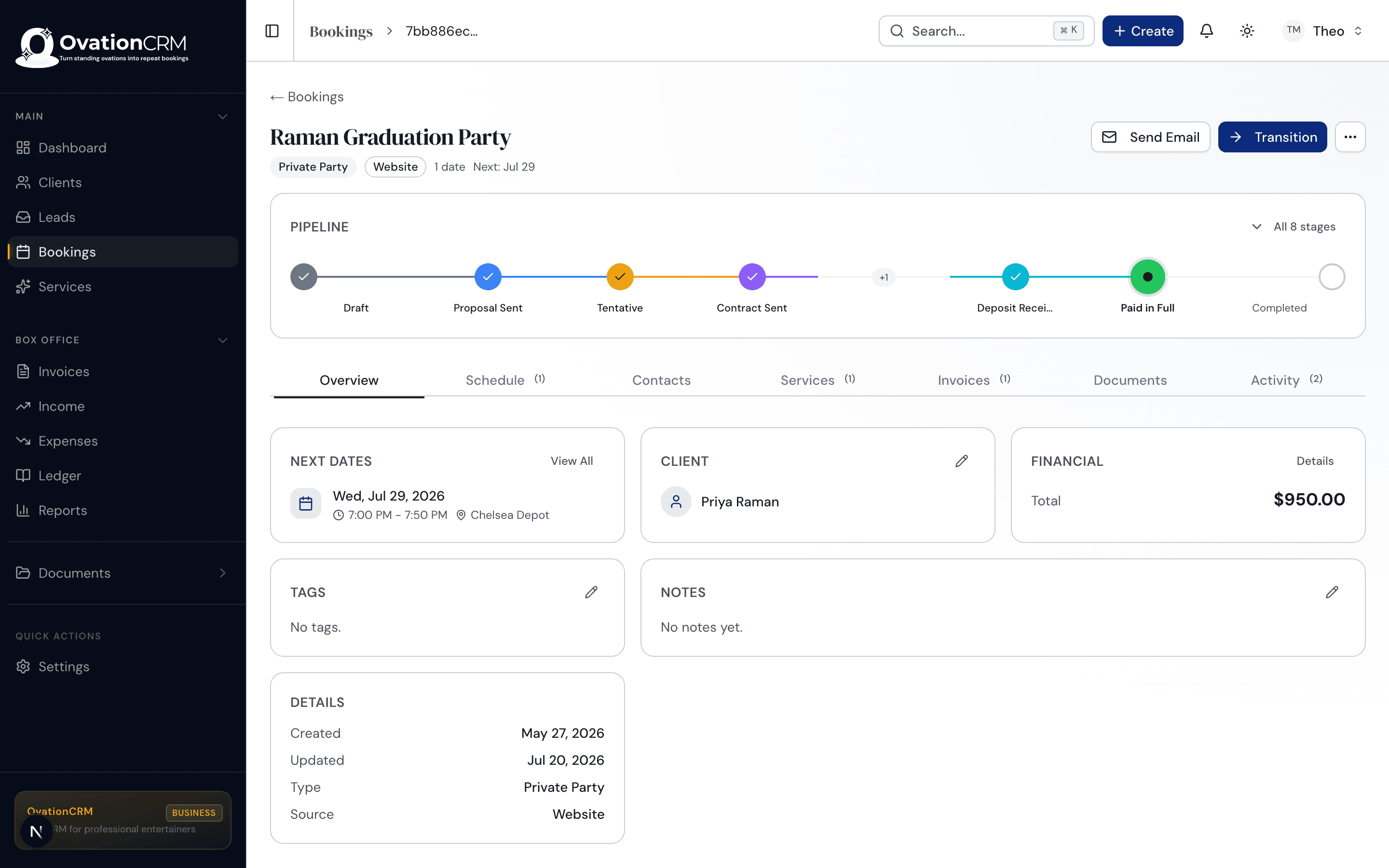
Every venue relationship stays warm
Couples, planners, and venues each get their own record with the full history of what you played and when. The banquet hall that books you every season is one click from a rebooking note, not lost in last year's inbox.
More about Client Management →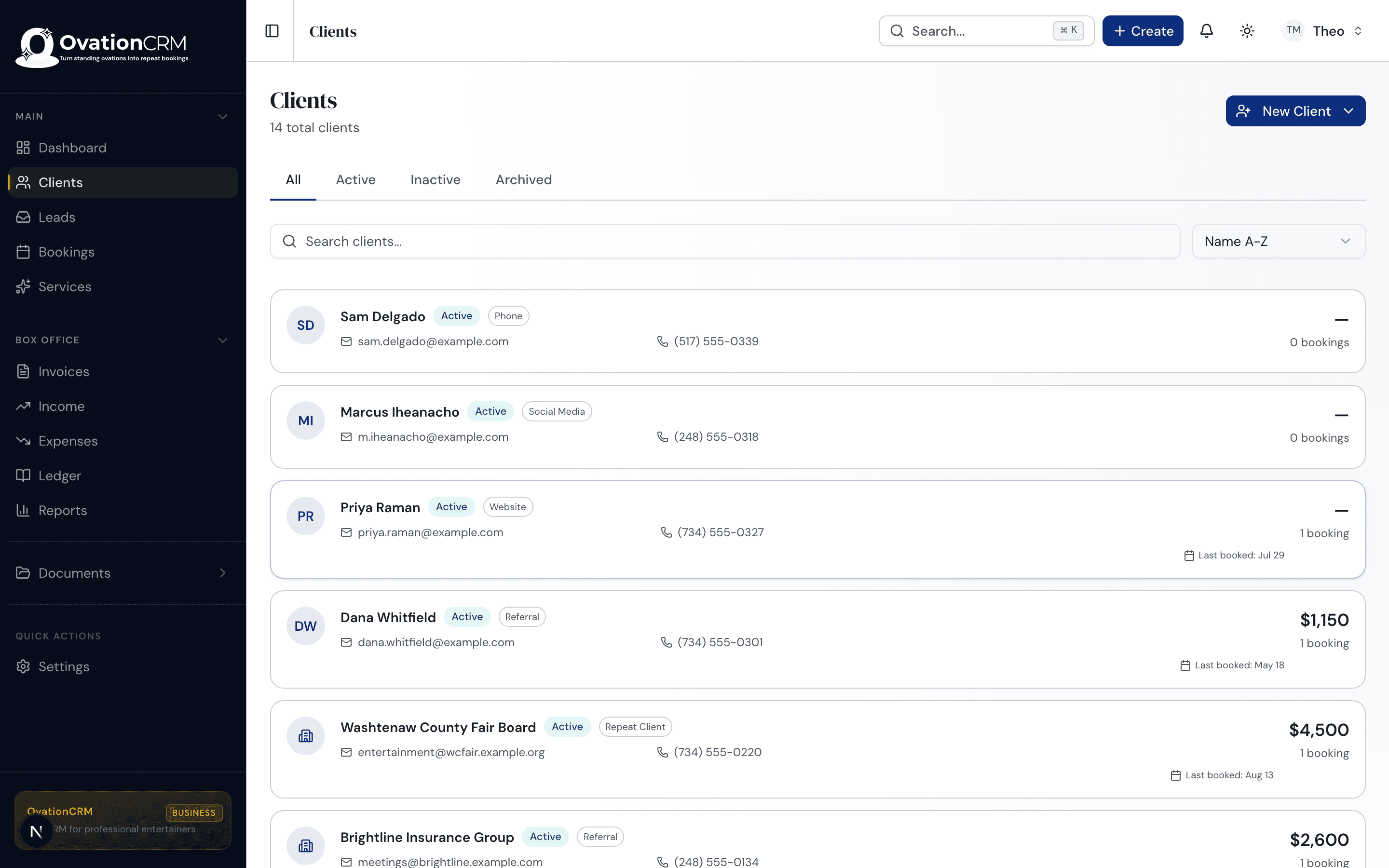
Deposit locks the date
A deposit holds the Saturday the moment they sign, and the balance invoices itself in the week before the event. You show up to spin, not to talk money at the head table. The whole fee is yours; we take no cut of your payments.
More about Payments & Invoicing →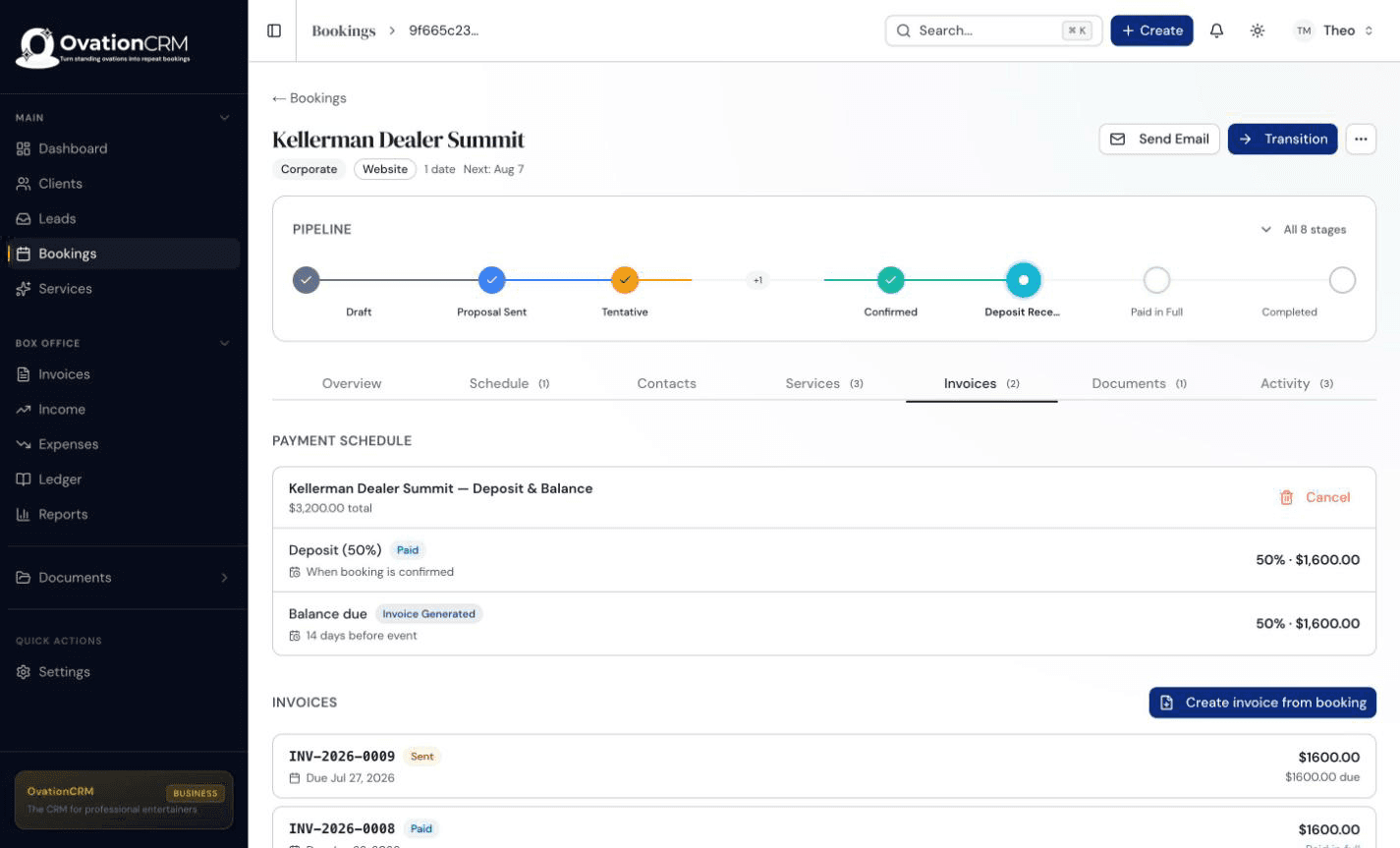
No date is real until it's signed
Send a branded agreement, collect the signature online, and file the signed PDF against the booking. The date on your calendar is a real commitment before you turn down the next request for it.
More about Contracts & Documents →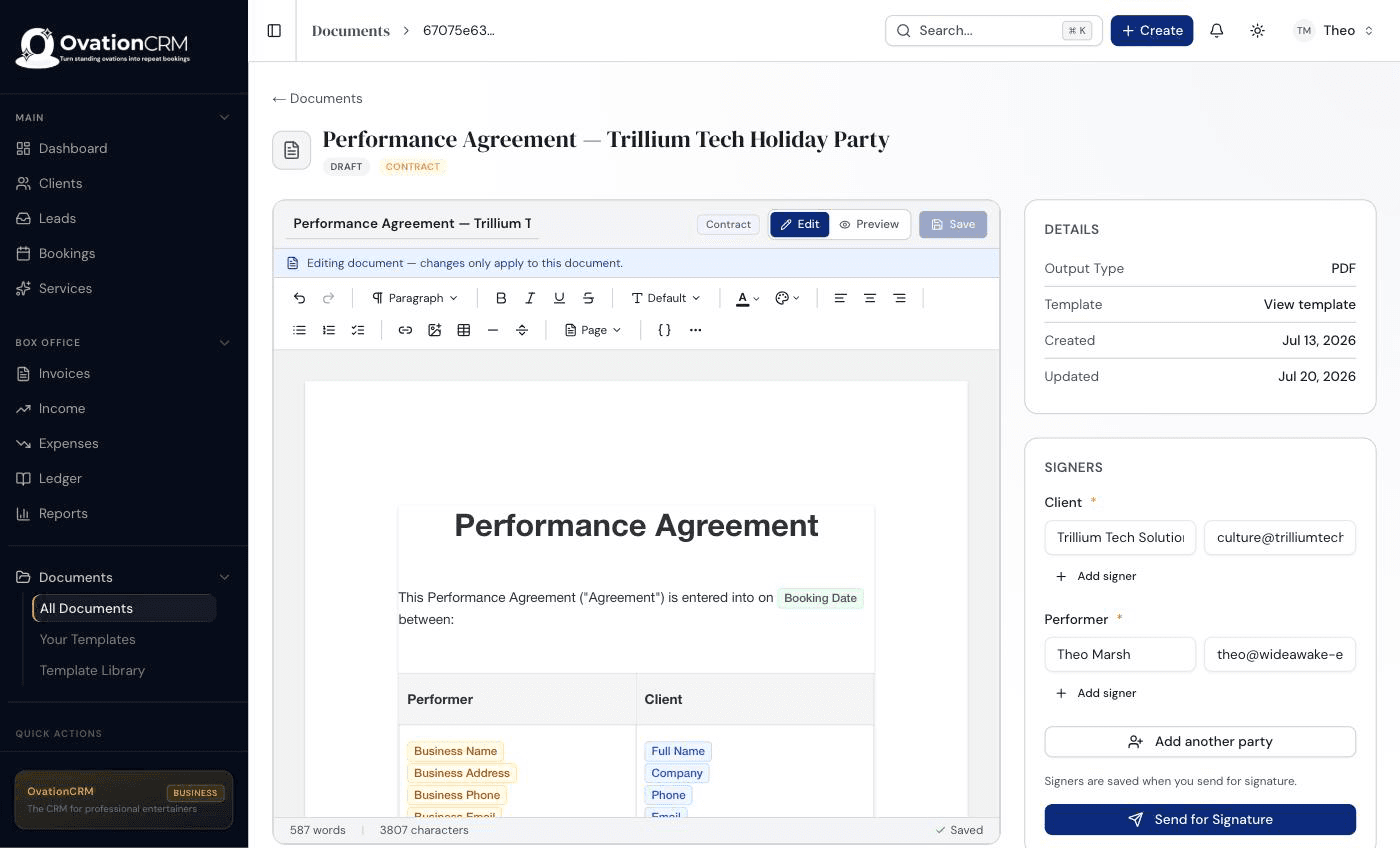
Questions djs ask
Where do song requests and do-not-play lists live?
Both live in the booking's notes and details, alongside the timeline and set order for that event. Everything you record there shows up on the day sheet you work from, so the requests and the do-not-play list travel with the gig instead of scattering across texts and emails.
How does OvationCRM stop me from double-booking a Saturday?
You can place a tentative hold on a date while an inquiry is still deciding, and any conflict on that date is visible before you promise it to anyone. Two requests for the same Saturday show up side by side on one calendar, so you never promise a date you do not have.
Can I capture inquiries from wedding sites and directories?
Add the booking-request widget to your own site and every inquiry lands in one inbox, on every plan including Basic at $20 a month. An inquiry that starts on a directory or a wedding site takes a moment to add, and from there it follows the same flow: one inbox instead of a dozen open tabs.
Spend Saturday Behind the Decks
Join the waitlist and cue up the next season. When the doors open, waitlist members get in first and founding-member pricing locks in.
Join the Waitlist →