
Calendar Integration
Every Gig, On Every Calendar You Use
Your bookings should live wherever you already look. OvationCRM syncs two-way-safe with Google Calendar within its own dedicated calendar, subscribes to any app with a private feed, and shares a clean public calendar you control. One schedule, everywhere, with your clients' privacy protected.
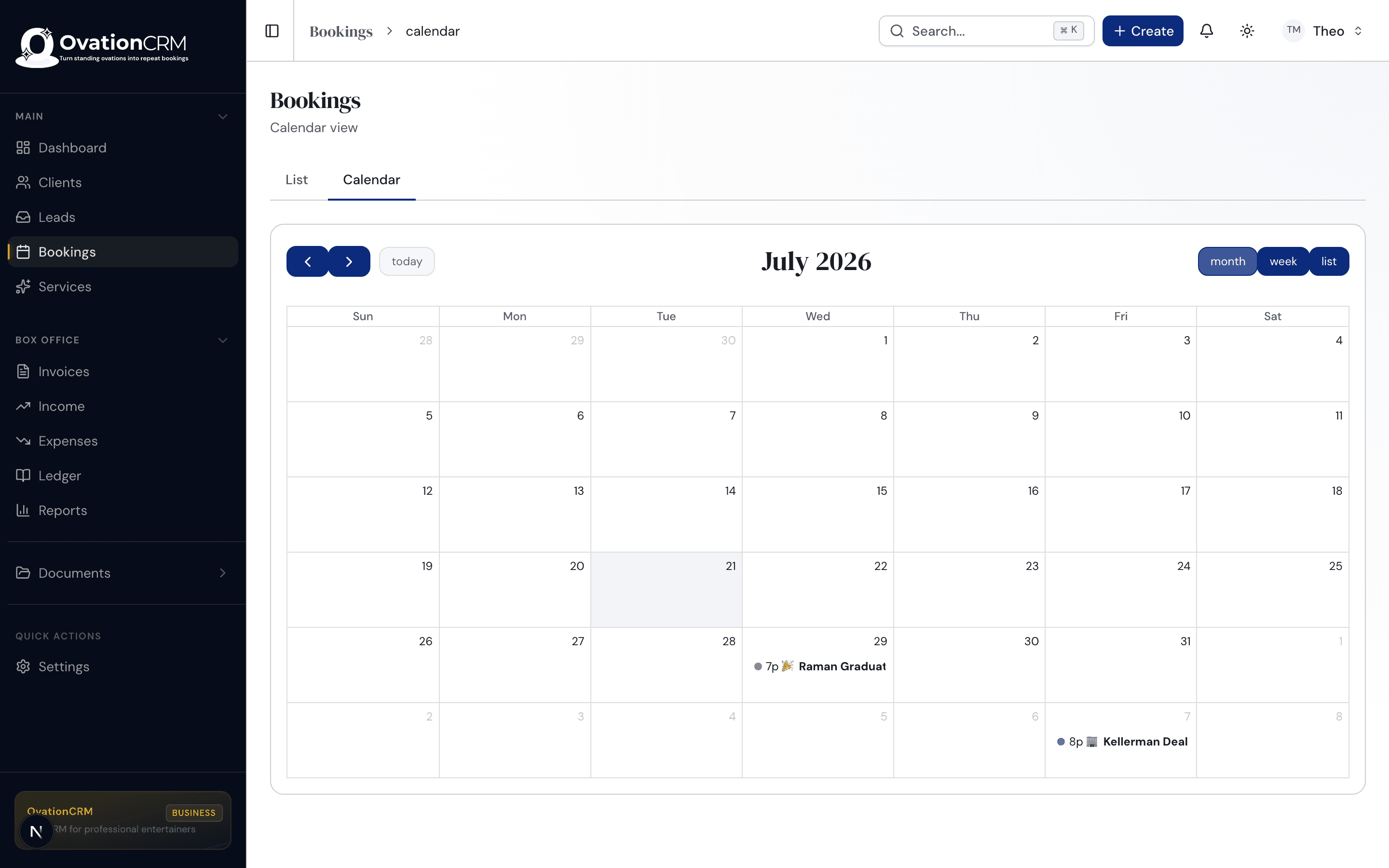
Three Ways to Stay in Sync
Pick the Connection That Fits You
Use one, use all three. They work side by side, and every one of them keeps OvationCRM as the single place your schedule really lives.
Google Calendar Sync
Your bookings in Google, in seconds.
- Two-way-safe: OvationCRM stays the source of truth
- Its own calendar, never your personal one
- Warns you before you double-book
Private Calendar Feed
Your full schedule in any app you like.
- Works with Apple Calendar, Outlook, Google, and more
- Every booking, with the details you need
- A private link, for your eyes only
Public Calendar
Show where you'll be, share nothing you shouldn't.
- Opt in booking by booking, under a title you write
- Client names and private dates never appear
- A branded page and share link for your site
Google Calendar Sync
ProfessionalYour Gigs in Google, in Seconds
Connect your Google account once and your gigs appear on your calendar in seconds. It's two-way-safe, so OvationCRM always stays the true copy of your schedule.
Instant, not tomorrow
Book, move, or cancel a gig and Google updates in seconds. No more waiting on the 24-hour lag that plain calendar subscriptions leave you with.
Two-way-safe by design
OvationCRM stays the one true copy of your schedule. Nudge an event in Google by accident and it snaps right back, with a heads-up so nothing quietly drifts out of sync.
Its own calendar
Sync lands in a dedicated "OvationCRM" calendar inside your Google account. Your personal life stays your personal life, and you can hide it or show it with one toggle.
Fewer double-bookings
OvationCRM can read when you're already busy on your own Google calendars and warn you before you take a gig on top of it. It sees busy and free only, never the details.
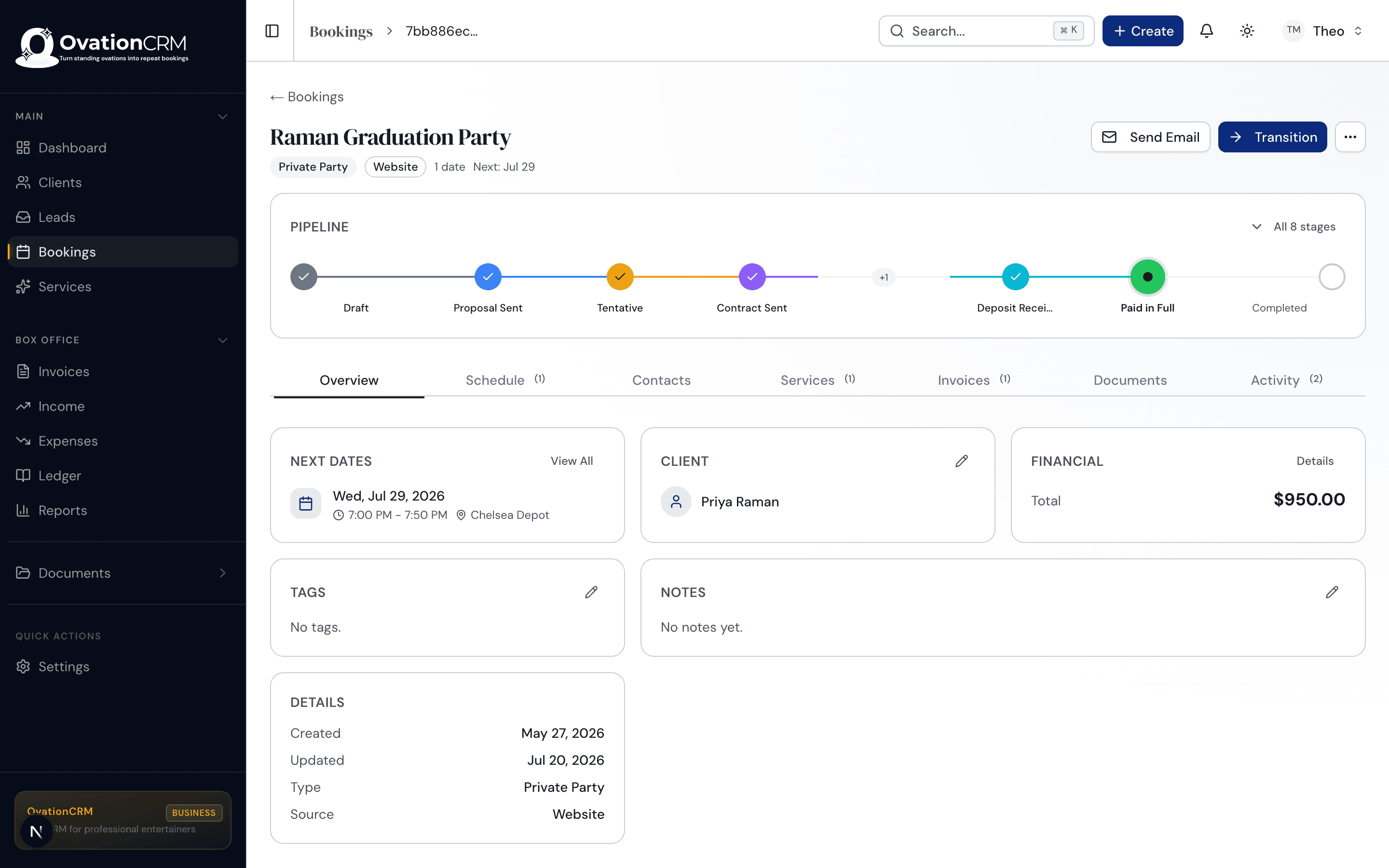
Google + OvationCRM
What OvationCRM Can See in Your Google Account
We ask for the narrowest permissions that make the feature work, and nothing else.
Create and manage its own calendar
OvationCRM makes one calendar named "OvationCRM" in your account and writes your bookings there. It cannot read, edit, or delete anything on your personal calendars.
See when you are busy
For the calendars you pick, OvationCRM reads only busy and free time blocks. Event titles, guests, locations, and notes are never sent to us.
List your calendars
So the settings screen can show you which calendars you own and let you choose which ones count toward double-booking warnings.
You can disconnect at any time from Settings. When you do, we delete the stored Google tokens and stop all access. Read the full details in our Privacy Policy.
- Create its own "OvationCRM" calendar
- Read busy or free from calendars you pick
- List your calendar names for the picker
Never sent to us: event titles, guests, locations, or notes from your personal calendars.
Placeholder preview
Private Calendar Feed
Your Whole Schedule, In Any App
Not a Google user? No problem. Copy your private subscribe link into Apple Calendar, Outlook, or anything that reads iCal, and your full schedule follows you there.
Any calendar app
Subscribe from Apple Calendar, Outlook, Google, or anything that speaks iCal. Your gigs show up right next to the rest of your life.
Always current
It's a live subscription, not a one-time export. Add a booking in OvationCRM and it flows through on your app's next refresh.
Private to you
The link carries your full schedule with client and venue detail, so keep it to yourself. Private bookings are masked so sensitive dates stay discreet.
Public Calendar
ProfessionalShow Where You'll Be, Safely
Let fans and bookers see your upcoming public dates without ever exposing a client. You choose exactly which gigs go out and what each one says.
You choose what shows
Nothing is public until you say so. Flip a booking to "public" and give it a title anyone can see. Everything else stays private.
Client privacy, built in
Client names, notes, and dates you've blocked off never touch the public calendar. Only the title and place you approve go out.
Branded and shareable
You get a clean, branded page plus a subscribe link. Drop it on your website so fans and bookers can see where to catch you next.
Fri, Aug 8
Summer Magic Showcase
Riverside Theater, Austin TX
Sat, Aug 16
Family Night Live
The Grand, Dallas TX
Sun, Aug 24
Close-Up Magic Set
Uptown Lounge, Houston TX
Placeholder preview
Side by Side
Which One Should You Use?
All three at a glance. Turn on the ones that match how you already run your week.
| Google Sync | Private Feed | Public Calendar | |
|---|---|---|---|
| Best for | Your day-to-day calendar | Any app you already use | Sharing where you'll be |
| Direction | Two-way-safe push | One-way subscription | One-way, shareable |
| How fast it updates | In seconds | On your app's refresh | In seconds |
| What it shows | Full booking detail | Full booking detail | Only what you opt in |
| Who can see it | Just you | Just you | Anyone with the link |
| Works with | Google Calendar | Apple, Outlook, Google, more | A branded page + any app |
Your Clients' Privacy, Protected by Design
Sharing your schedule should never mean leaking a client. The public calendar shows only the bookings you opt in and the titles you write yourself. Client names, private notes, and dates you've blocked off are never part of it. Not by an extra setting you have to remember, but by how it's built.
Good Questions
Frequently Asked Questions
Do I have to use Google Calendar?
Not at all. Google sync is there if you want updates in seconds, but the private feed works with Apple Calendar, Outlook, and any app that supports calendar subscriptions. Pick whichever fits how you already work.
What can OvationCRM actually see in my Google account?
Three narrow things. It creates and manages its own OvationCRM calendar, it can list the names of your calendars so you can choose which ones count toward double-booking warnings, and it reads busy or free blocks from the calendars you pick. It never sees event titles, guests, locations, or notes, and it cannot touch events on your personal calendars.
Will syncing mess up my personal calendar?
No. Google sync creates its own separate OvationCRM calendar in your account. Your personal events stay untouched, and you can show or hide the OvationCRM calendar whenever you like.
What happens if I edit a gig in Google by mistake?
OvationCRM stays the source of truth. If an event gets moved or deleted in Google, it snaps back to match your booking and you get a notification, so your schedule never quietly drifts out of sync.
Can clients see my client list on the public calendar?
Never. The public calendar only shows the bookings you opt in and the titles you write yourself. Client names, private notes, and blocked-off dates are never included.
How is the private feed different from the public one?
The private feed is your complete schedule, with full detail, meant only for you. The public calendar is a curated, sanitized view you can share, showing just the gigs and titles you approve.
Ready When You Are
Keep Every Gig in Sync
Join the waitlist for early access and founding-member pricing. Waitlist members get in first.
Join the Waitlist →